This is a practice network for a Monero upgrade called FCMP++ and Carrot. It is not mainnet. The coins on it are not your real coins. Your normal wallet stays where it is.
A node is just the program that downloads the chain and talks to other computers. The test needs its own node. The one you already run for real Monero cannot do this job.
You will need:
The beta 3 download, not the normal one on getmonero.org. The release is v0.19.0.0-beta.3.0 in the seraphis-migration Monero repo. Pick the zip for your computer. The node program and the wallet are both in that zip.
A spare folder for its files. Do not point it at the folder your real node already uses.
Some patience. A fresh sync is slow. Hours, sometimes longer. Pruning is fine if you want to save disk space.
Start it like this:
Open a terminal in the folder you unzipped.
Run the node with --testnet, and tell it to use that spare folder.
If you already have a node running, the test wants port 28080 by default. If something else is already using that port, pick a different one. Do not shut your real node down to free it.
Leave it running. It is working when the log says Synced and the first number is climbing.
Then the wallet:
Use the wallet from that same beta zip. Not Feather. Not your hardware wallet. Not the wallet you spend from.
It has to talk to this test node. A normal node will not answer it.
In the GUI, open advanced settings and pick testnet. The usual port there is 28081, unless you moved it.
A few things that will not work yet:
Hardware wallets
Multisig
Transaction proofs
Two databases to skip:
An older stressnet folder will not work with this release. Start clean, or the node will just sit there.
A normal testnet folder can be reused. The first migration can take hours. Copy it first if you care about that copy.
The network changes on October 5, at block 3102800. If you start before that, you sync the current testnet and ride the change. If you start after, you are joining a chain that is already moving.
If something breaks, write down the clicks you made. A log at level 2 helps. Report it on the seraphis-migration Monero issues page, or in the Matrix room #monero-stressnet:monero.social.
One warning. Not many people are on this network. Other nodes can see the IP of the computer you run it on. If that bothers you, skip it.
That is the whole trick. Real wallet stays on mainnet. This is a separate copy, for the test.
Happy to help anyone that wants to get one set up. Mine is syncing now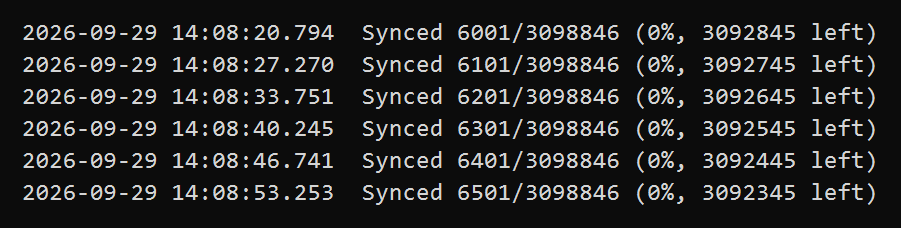
When you add --testnet it creates a folder in ~/.bitmonero/testnet which should leave your mainnet node alone right? I am syncing it on my system now and wondering if i should stop it, move the folder and restart it pointing at the new data directory.
Also, if i dont want to sync testnet again i should stop the node and cp ~/.bitmonero/testnet ~/.bitmonero/fcmpBeta3 before October 5th and restart the node pointing at that new data directory?
Your real Monero and this test do not share a pile of files. Turning on --testnet makes a new folder called testnet next to your real chain. The real chain stays put. You can leave the test syncing there. Your normal node is already safe.
Move the folder only if you want the test files somewhere else, not because the real node is in danger.
The easy mistake is the folder name. The program always wants a folder named testnet inside whatever place you point it at. If you move the files and forget that name, it thinks you have nothing and starts the long download again.
Do it like this:
Stop the test node first. Do not move files while it is running.
Make a new folder, for example fcmpBeta3.
Put the existing testnet folder inside that, so the path ends in fcmpBeta3/testnet.
Start the test node again and tell it the parent folder, fcmpBeta3, plus --testnet.
Before October 5, a copy is just a spare, like photocopying your homework before the teacher writes on it.
Stop the node.
Copy the whole testnet folder into fcmpBeta3/testnet. Copying one file is not enough. The folder has a lot of pieces.
Start the test node again on the original folder. That copy is the one that should take the October 5 change.
Do not open the spare with the beta program. If you do, it stops being a clean spare, and you may have to download the test chain all over again later.